ZKTeco X990-C
A 3-inch terminal with an optional battery that keeps working for about four hours without mains.
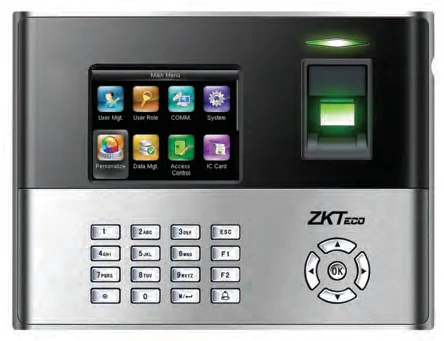
The X990-C is a straightforward time-attendance terminal on ZKTeco’s ZEM510 platform. Its optional 2000 mAh battery gives roughly four hours of continuous operation, and optional Wi-Fi or GPRS covers sites with no fixed line at all.
Best for: Sites with unreliable power, or temporary locations that move.
Enquiry only — we do not publish hardware prices, because the right answer depends on how many doors you are covering.
What it does well
Keeps going without mains
An optional built-in 2000 mAh battery provides approximately four hours of continuous operation.
Wireless if you need it
Optional built-in Wi-Fi or GPRS for locations with no wired network.
Clear 3-inch display
Shows fingerprint image quality and the verification result, so a failed read is obvious to the person standing there.
One touch a second
Fast matching with ZK Finger v10.0, reading fingerprint and/or PIN, with an optional proximity or smart-card reader.
Specifications
Taken from the manufacturer datasheet. ZKTeco may change specifications without notice.
| Fingerprint capacity | 3,000 templates |
|---|---|
| Transaction capacity | 100,000 |
| Hardware platform | ZEM510 |
| Sensor | ZK optical sensor |
| Algorithm | ZK Finger v10.0 and v9.0 (default v10.0) |
| Display | 3-inch TFT screen |
| Communication | RS232/485 · TCP/IP · USB-Client · USB-Host |
| Optional | ID / Mifare / HID · Wi-Fi / GPRS · backup battery · barcode · relay bell · scheduled bell · webserver · SOAP |
| Power | 12 V DC, 1.5 A |
| Dimensions | 210 × 157 × 50 mm |
| Operating range | 0 °C – 45 °C · 20 % – 80 % humidity |
Does it work with M1 TimePilot?
The datasheet lists Webserver and SOAP but not ADMS / Cloud Server. Ask us to confirm before you order.
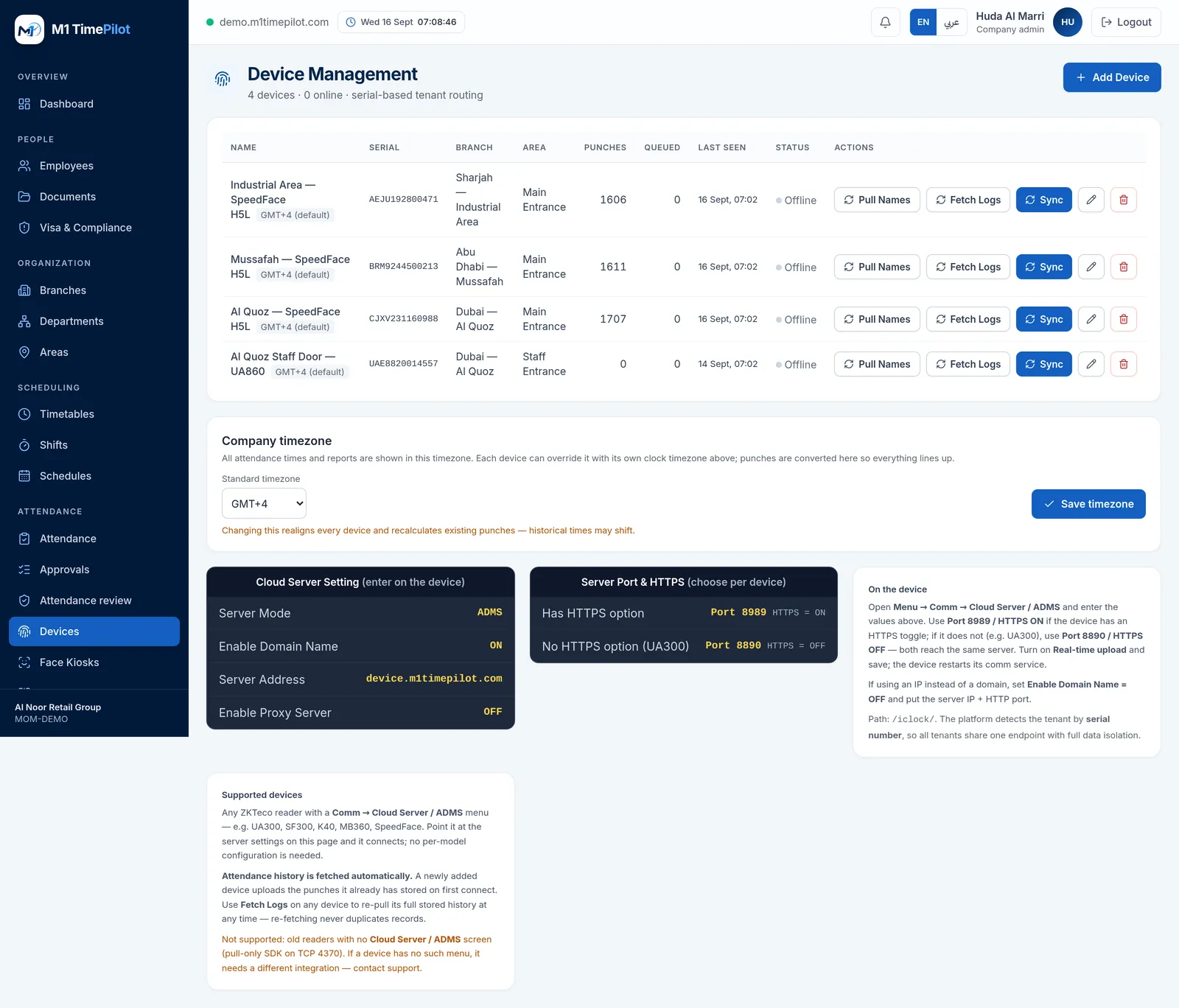
M1 TimePilot collects punches over ZKTeco’s ADMS / Cloud-Push protocol. A device works with the platform when its firmware has a Comm → Cloud Server / ADMS menu; you point that menu at our server and punches start arriving. Older pull-only readers that expose nothing but an SDK on TCP 4370 are not supported.
Request a quote
Tell us what you are covering and we will come back with options and pricing.
Ready to get started?
Start a free trial, or talk to us about your sites, devices and shifts.