ZKTeco UA860
A 2.8-inch colour terminal with Wi-Fi built in and a USB port for when the network is not there.
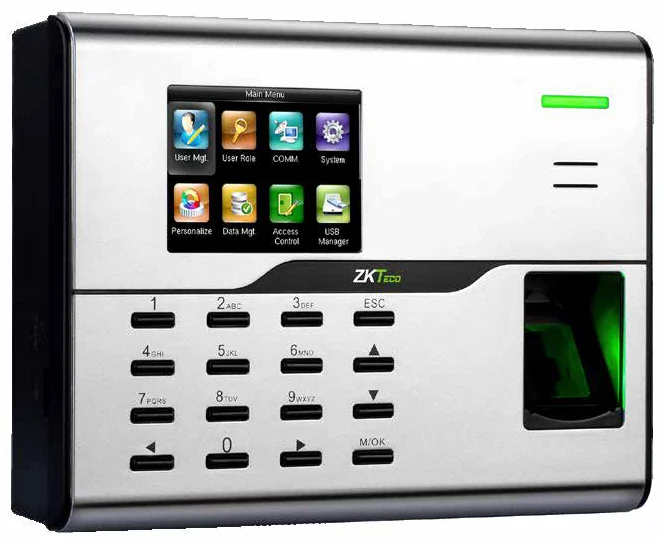
The UA860 pairs a BioID fingerprint collector with integrated 2.4 GHz Wi-Fi, so it can be mounted where no data cable reaches. A USB host port allows data to be backed up and moved by hand, which matters on a site where connectivity comes and goes.
Best for: Branches and site offices where running a network cable is the expensive part.
Enquiry only — we do not publish hardware prices, because the right answer depends on how many doors you are covering.
What it does well
Wi-Fi is integrated
The 802.11 b/g module is built in, not an accessory — mount it where the power is and let it find the network.
USB backup
A USB host port takes data up and down while the device is standalone, so an outage never means lost punches.
BioID sensor
The same collector family as the BioPro SA20, specified for dry and moist fingers.
Access control included
Interfaces for a third-party electric lock and exit button, with a 12 V supply.
Specifications
Taken from the manufacturer datasheet. ZKTeco may change specifications without notice.
| Display | 2.8-inch colour screen |
|---|---|
| Sensor | BioID fingerprint collector |
| Wi-Fi | Integrated · 2.4 GHz · IEEE 802.11 b/g |
| Communication | TCP/IP · Wi-Fi · USB host |
| ADMS | Optional — required for M1 TimePilot |
| Access control | Third-party electric lock, exit button |
| Software | ZKTime.Net 3.0 · BioTime 8.0 |
| Power | DC 12 V / 1.5 A |
| Dimensions | 185 × 137 × 38.2 mm (L×W×T) |
| Operating range | 0 °C – 45 °C · 20 % – 80 % humidity |
Does it work with M1 TimePilot?
ADMS is an optional function on this model — confirm it is fitted when ordering.
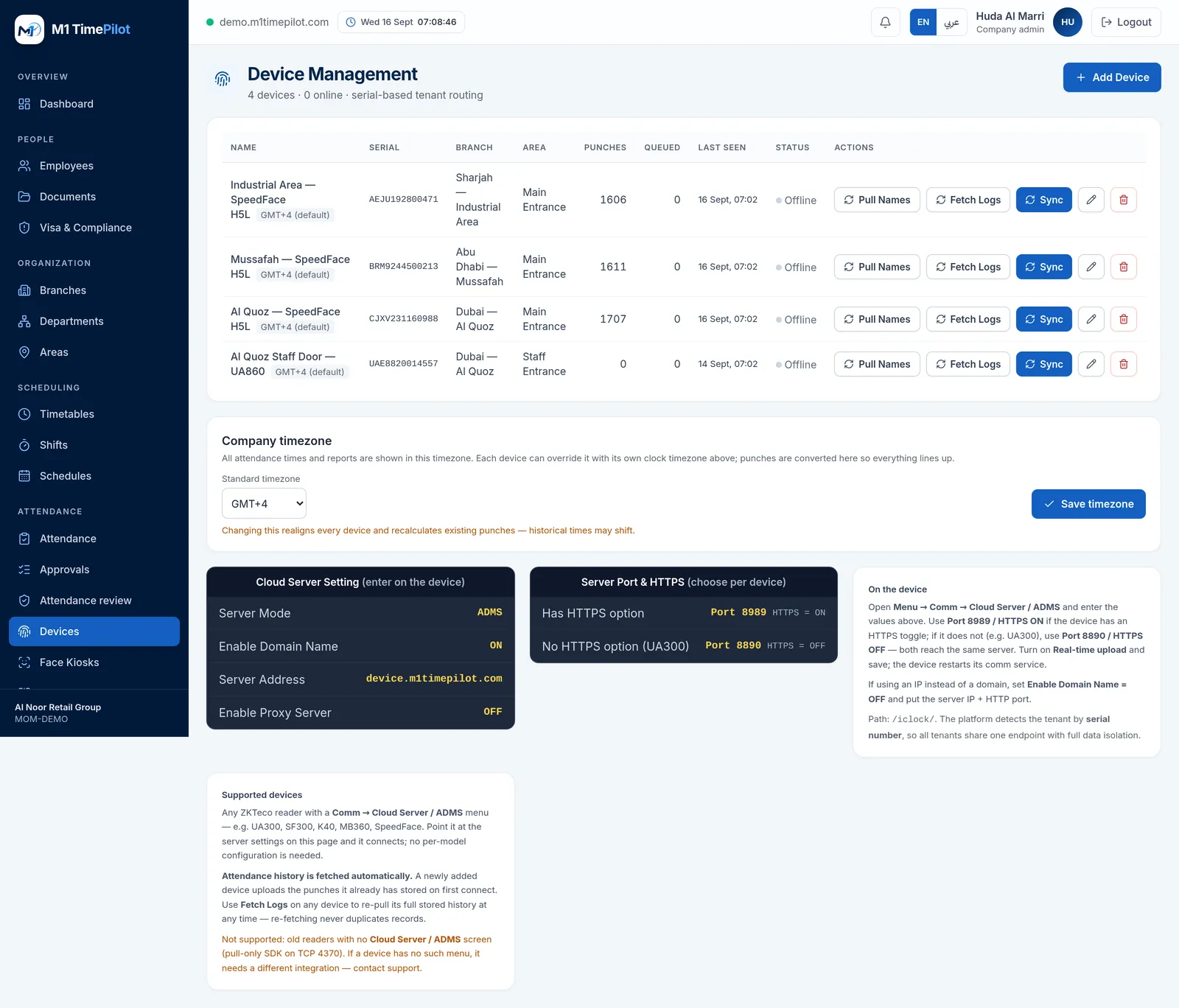
M1 TimePilot collects punches over ZKTeco’s ADMS / Cloud-Push protocol. A device works with the platform when its firmware has a Comm → Cloud Server / ADMS menu; you point that menu at our server and punches start arriving. Older pull-only readers that expose nothing but an SDK on TCP 4370 are not supported.
Request a quote
Tell us what you are covering and we will come back with options and pricing.
Ready to get started?
Start a free trial, or talk to us about your sites, devices and shifts.