ZKTeco iClock 880
Fifty thousand templates, eight hundred thousand events and a battery that rides out a power cut.
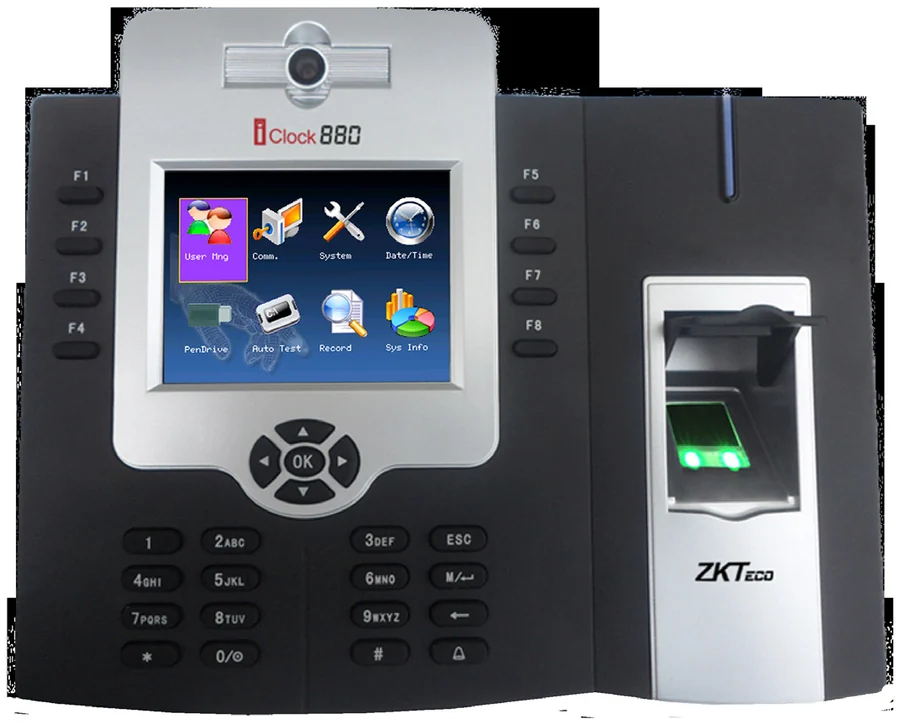
The iClock 880 is the large-headcount option: 50,000 fingerprint templates and 800,000 stored transactions, with a backup battery as standard rather than an accessory. An internal camera can capture and store the user’s image alongside the punch.
Best for: Large single sites with high headcount and long retention needs.
Enquiry only — we do not publish hardware prices, because the right answer depends on how many doors you are covering.
What it does well
Built for headcount
50,000 templates (1:N) and 800,000 transaction records — the capacity to cover a large site from one door.
Backup battery as standard
Power protection is included, not an optional extra, so a cut does not stop the clock.
Camera on board
The internal camera captures and displays or stores the user’s image with the verification.
Multi-factor
Fingerprint, password, RFID card or any combination, plus relay contacts for access control and eight user-defined function keys.
Specifications
Taken from the manufacturer datasheet. ZKTeco may change specifications without notice.
| Fingerprint capacity | 50,000 templates (1:N) |
|---|---|
| Transaction capacity | 800,000 events |
| Display | 3.5-inch colour TFT LCD |
| Sensor | ZK optical sensor |
| Camera | Internal — capture and display or store the user image |
| Battery | Standard backup battery |
| Communication | Serial / 485 · Ethernet · USB-host |
| Wiegand | Input & output |
| Optional | Prox, Mifare, RFID |
| Power | 12 V DC, 3 A |
| Dimensions | 213 × 178.2 × 47.5 mm |
| Weight | 2.00 kg |
Does it work with M1 TimePilot?
The datasheet does not list ADMS / Cloud Server. Ask us to confirm on the current firmware before you order.
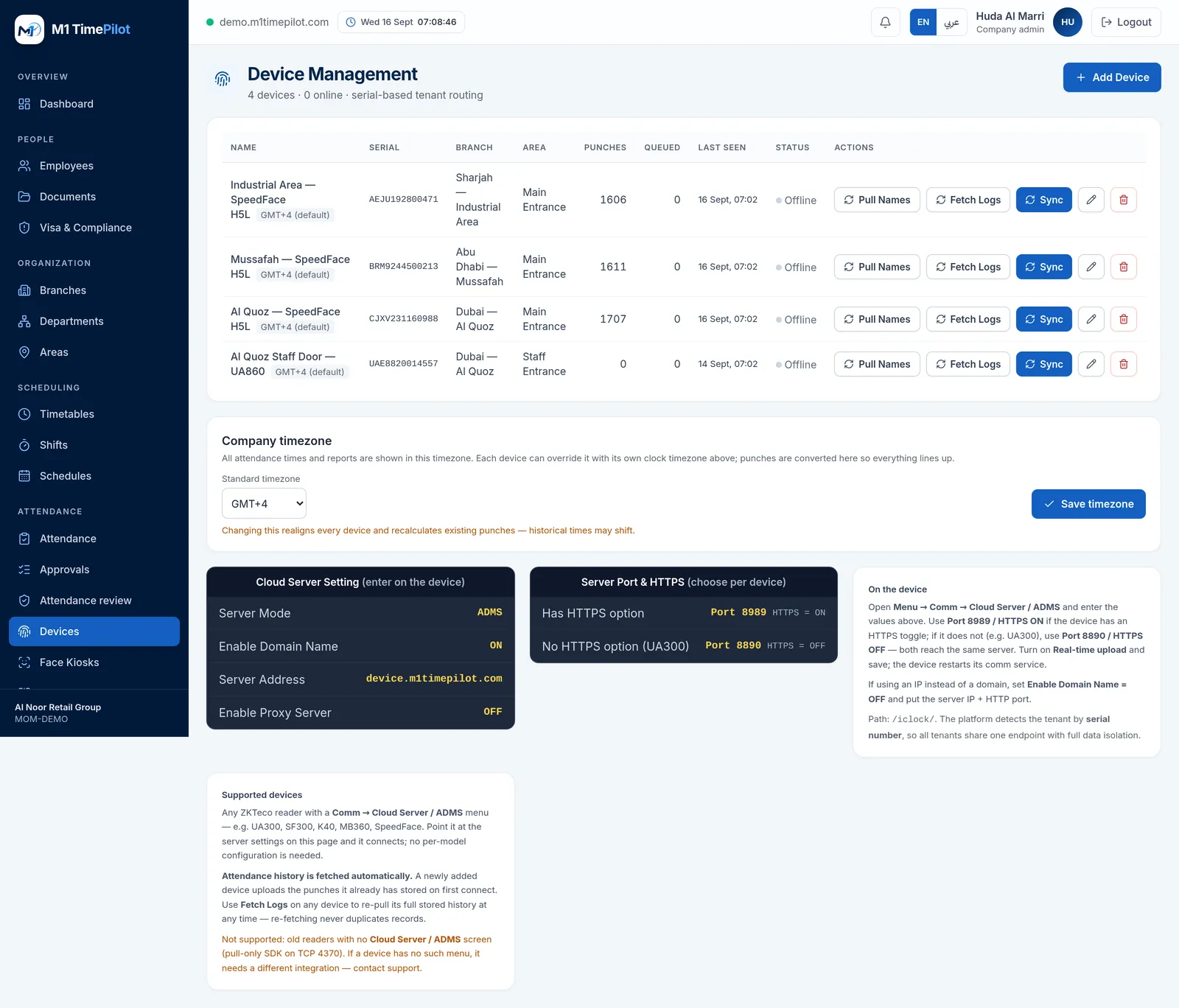
M1 TimePilot collects punches over ZKTeco’s ADMS / Cloud-Push protocol. A device works with the platform when its firmware has a Comm → Cloud Server / ADMS menu; you point that menu at our server and punches start arriving. Older pull-only readers that expose nothing but an SDK on TCP 4370 are not supported.
Request a quote
Tell us what you are covering and we will come back with options and pricing.
Ready to get started?
Start a free trial, or talk to us about your sites, devices and shifts.