ZKTeco BioPro SA20
A fingerprint terminal built for fingers that real work ruins — dry, wet or rough.
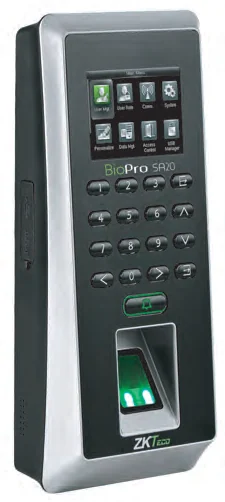
The BioPro SA20 uses ZKTeco’s BioID sensor, which is designed for the dry, wet and worn fingerprints that defeat ordinary optical readers. Anti-highlight and side-beam handling cut the interference that daylight causes, and infrared activation wakes the sensor only when a finger is actually present.
Best for: Warehouses, kitchens, workshops and sites where fingerprints take a beating.
Enquiry only — we do not publish hardware prices, because the right answer depends on how many doors you are covering.
What it does well
Built for difficult fingers
The BioID reader is specified for a high identification rate on dry, wet and rough fingerprints — the everyday reality in warehouses, kitchens and workshops.
Daylight does not blind it
Anti-highlight and side-beam compensation reduce the interference that ruins optical readers mounted near a doorway.
Cloud-ready out of the box
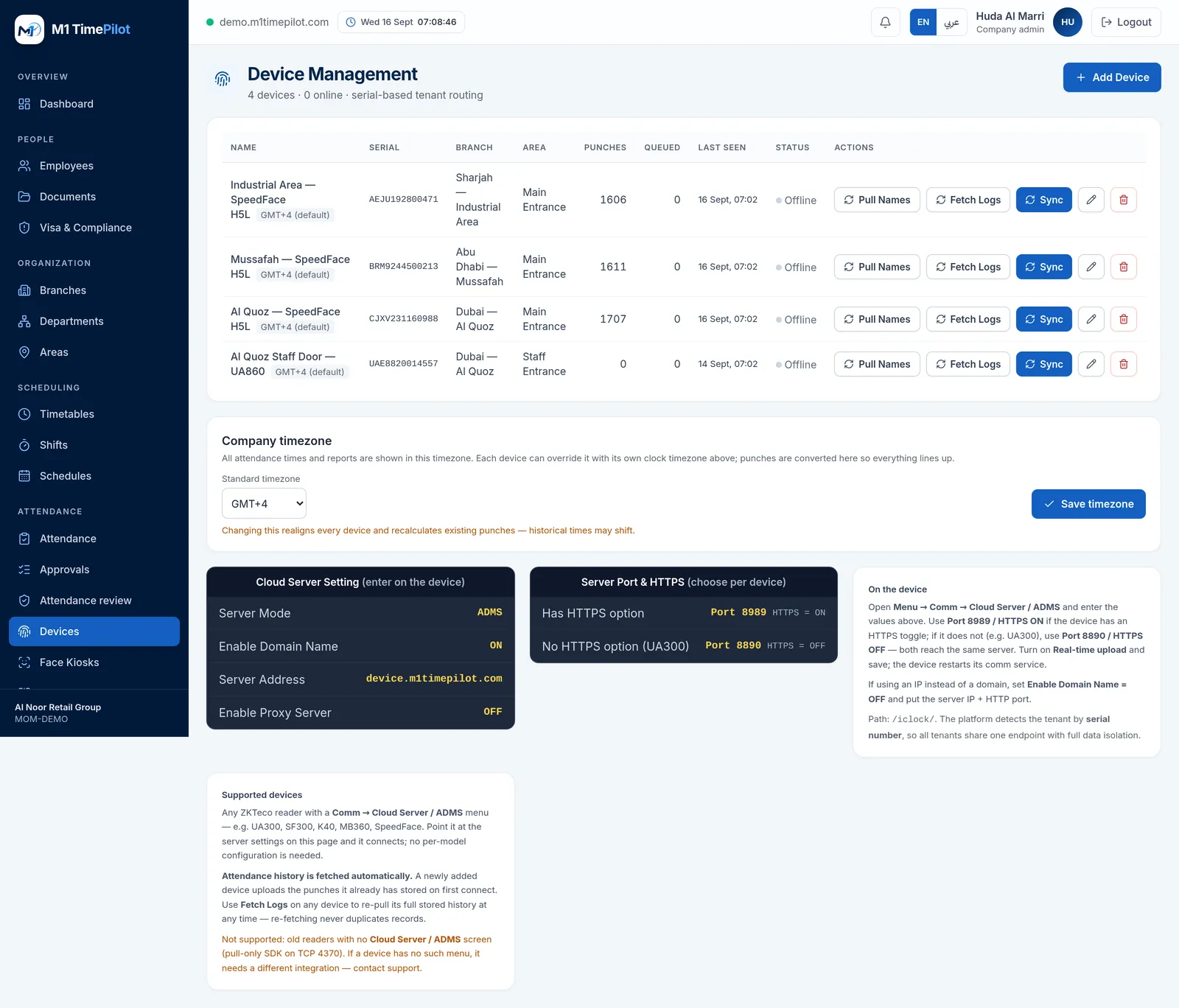
ADMS is a standard function and Wi-Fi is built in, so the terminal reaches M1 TimePilot without a site server or a cable run.
Full access control
Anti-passback plus interfaces for an electric lock, door sensor, exit button, alarm and doorbell, and an auxiliary input for a wired detector or emergency switch.
Specifications
Taken from the manufacturer datasheet. ZKTeco may change specifications without notice.
| Display | 2.4-inch TFT LCD colour screen |
|---|---|
| Fingerprint capacity | 3,000 |
| Card capacity | 5,000 (optional) |
| Transaction capacity | 100,000 |
| Sensor | BioID sensor |
| Algorithm | ZKFinger VX10.0 |
| Communication | Wi-Fi · RS232/485 · TCP/IP · USB-host |
| Standard functions | DST, automatic status switch, anti-passback, scheduled bell, T9 input, ADMS |
| Access control | Electric lock, door sensor, exit button, alarm, doorbell · Wiegand in/out/SRB |
| Power | 12 V DC, 3 A |
| Operating range | 0 °C – 45 °C · 20 % – 80 % humidity |
Does it work with M1 TimePilot?
ADMS is listed among its standard functions.
M1 TimePilot collects punches over ZKTeco’s ADMS / Cloud-Push protocol. A device works with the platform when its firmware has a Comm → Cloud Server / ADMS menu; you point that menu at our server and punches start arriving. Older pull-only readers that expose nothing but an SDK on TCP 4370 are not supported.
Request a quote
Tell us what you are covering and we will come back with options and pricing.
Ready to get started?
Start a free trial, or talk to us about your sites, devices and shifts.